Search across surgical specialties, instrument families and product codes.
SPECIALTY INSTRUMENT SOURCING
Browse instruments used across plastic, reconstructive and aesthetic surgery workflows. Compare named patterns, dimensions and configurations, then send an itemized requirement for review.
BROWSE THE CATALOG
Compare available categories, named patterns and configurations before preparing an itemized request.
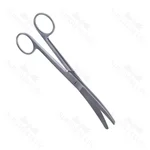
Browse Plastic Surgery Scissors and compare available patterns, sizes and configurations for your purchasing list.
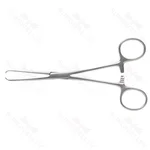
Browse Tissue Forceps and compare available patterns, sizes and configurations for your purchasing list.
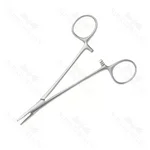
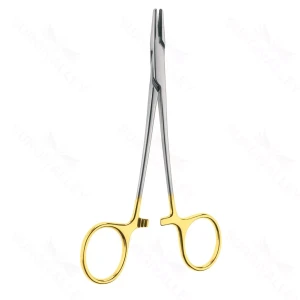
Browse Needle Holders and compare available patterns, sizes and configurations for your purchasing list.
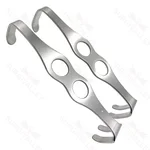
Browse Retractors and compare available patterns, sizes and configurations for your purchasing list.
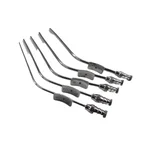
Browse Liposuction Cannulas and compare available patterns, sizes and configurations for your purchasing list.
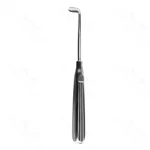
Browse Surgical Knives and compare available patterns, sizes and configurations for your purchasing list.
$19.00 $20.00
Organize plastic and reconstructive surgery instruments requirements by procedure, tray or department.
State the target market, quantities, packaging and documentation requirements.
Confirm named patterns, dimensions, configurations and accepted equivalents.
Separate training requirements from instruments intended for clinical purchasing.
PROCUREMENT CHECKLIST
Provide the instrument name, catalog reference, drawing or a clear reference image.
State overall length, working-end size, curvature, angle and handle style where relevant.
List quantities per item and show how instruments should be grouped into trays or sets.
Note material, surface finish, insulation or insert requirements that form part of the specification.
Describe labeling, packaging, marking or private-label needs for review.
Identify the certificates, declarations or product documents required by the purchasing process.
Share item references, descriptions, quantities and supporting files.
Resolve missing dimensions, variants, packaging and documentation requirements.
Check the quoted references, quantities, terms and stated lead time.
Approve the final specification and order details through the agreed process.
Open the unified request form to send item references, quantities, specifications and documentation needs. Requests without selected products are handled as enquiries; product-backed requests continue through the quotation workflow.

 Português