 English


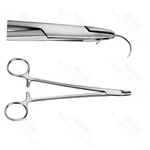
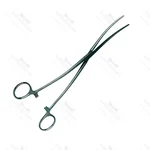
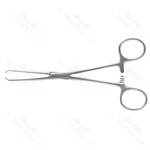
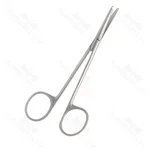
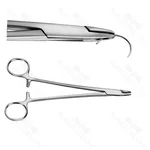
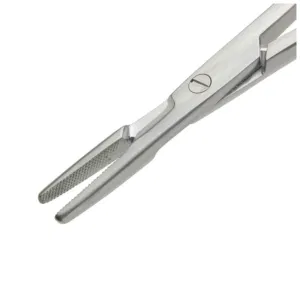
Olsen Hegar Needle Holder TC
SV-AU-SET-2003
Search across surgical specialties, instrument families and product codes.
PRODUCT SELECTION & QUOTATION
Start with the relevant specialty, then narrow the request by instrument family, named pattern, size and configuration. This hub connects procurement teams with the main catalog sections.
SELECTION GUIDANCE
Start with the clinical specialty or procedure so the catalogue is narrowed to relevant instrument families.
Use a product name, SKU, named pattern, drawing or clear reference image to avoid ambiguity.
Check working-end geometry, overall length, curvature, handle and any compatible components.
Add known products to the quote list and state quantities; use the same form for an unlisted requirement.
TECHNICAL RESOURCES
Review the published overview of material control, inspection, traceability and final release.
Open the available certification, membership and verification information.
Use available product and procurement resources when preparing the itemized list.
Review general handling and inspection guidance alongside your facility’s validated procedures.
Start with a specialty guide for selection context, then continue to its live Product Category and catalogue.
Explore cardiovascular and thoracic instrument sets by specialty context, then compare recorded compositions and available product references.
Open specialty guideExplore cardiovascular and thoracic instrument families, compare recorded clamp and forceps details and browse the relevant catalogue categories.
Open specialty guideExplore dental instrument families by clinical task, compare recorded product details and open the relevant catalogue category for further review.
Open specialty guideExplore dermatology instruments and holloware by category, including dermal items, trays and accessories, with recorded product details.
Open specialty guideExplore electrosurgical instrument sets by instrument family, circuit context and recorded product details for professional evaluation.
Open specialty guideExplore electrosurgical instruments by product family, including recorded bipolar forceps, electrode and accessory details where available.
Open specialty guideExplore ENT instrument families for ear, nasal, sinus, throat and laryngeal categories, then compare the recorded product details available.
Open specialty guideExplore general surgery instrument families, including forceps, retractors and scissors, then compare recorded product details by category.
Open specialty guideExplore gynecology and obstetric instrument sets by clinical context, then compare recorded contents, references and available product details.
Open specialty guideExplore gynecology and obstetrics instrument families, compare recorded product details and move into the relevant OB/GYN catalogue category.
Open specialty guideExplore laparoscopy sets by category context, instrument function and recorded composition before reviewing the available product references.
Open specialty guideExplore maxillofacial instrument families for facial, jaw and related oral structures, then compare recorded product details by category.
Open specialty guideExplore neurosurgical instrument families, including curettes and retractors, then compare recorded product details by category.
Open specialty guideExplore ophthalmic instrument families by category and handling role, then compare recorded dimensions, references and other available details.
Open specialty guideExplore orthopedic instrument sets by category, compare recorded compositions and product references, and identify relevant set families.
Open specialty guideExplore orthopedic instrument families for fixation, drilling and bone handling, then compare recorded product references and available details.
Open specialty guideExplore plastic surgery instrument families, including forceps and retractors, then compare recorded product details by category.
Open specialty guideBrowse single use surgical instrument categories and compare product-specific formats, sizes, packaging and recorded details.
Open specialty guideExplore surgical instrument sets by specialty, compare recorded compositions and open the relevant category or product reference for review.
Open specialty guideExplore table-mount retractor system families and compare recorded frames, posts, arms, blades and other available component details.
Open specialty guideBrowse veterinary surgical kits and compare recorded set contents, product references and available specifications.
Open specialty guideAdd identified products to the quote list for a product-backed quotation. If the exact references are still being defined, open the same request form without selecting a product and it will be handled as a general enquiry.